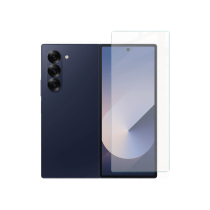
Complete Screen Black Galaxy Z Fold6 (F956B)
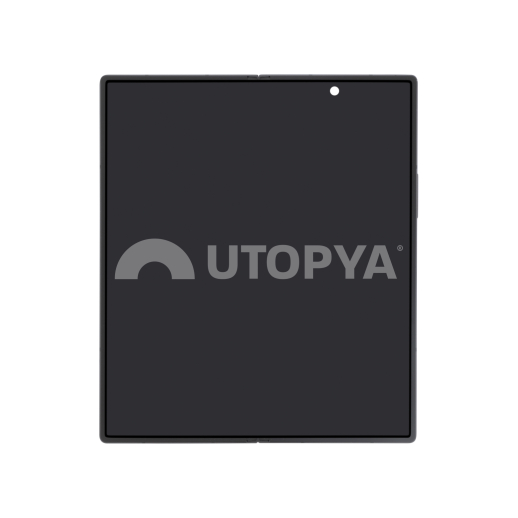
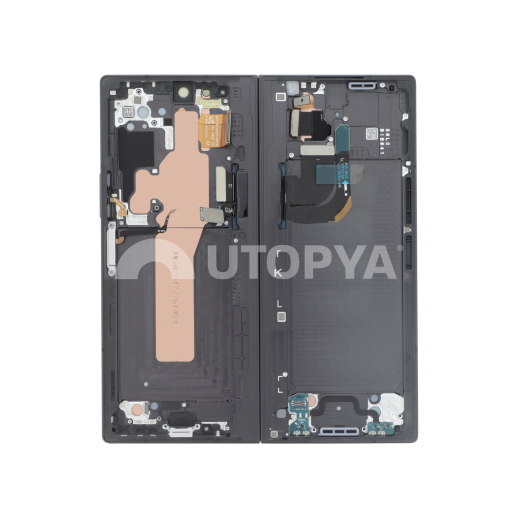


Complete Screen Black Galaxy Z Fold6 (F956B)
Caractéristiques
- Product type Complete Screen
- Quality Service Pack
- Brand Samsung
- Manufacturer Ref GH82-35042D
- SKU 730570
- EAN Code GH82-35042D
- Warranty 3 months (UTOPYA)
Compatibility
347,09€
Restocking
Product Description
Full Screen Black Galaxy Z Fold6 (F956B)
Description
This full screen for Samsung Galaxy Z Fold6 (F956B) is a Service Pack part corresponding to the main foldable internal screen, in its black colour. It includes the flexible internal panel, the glass, the touch layer and the display frame, intended to replace a damaged module on the main screen of the Fold6. This intervention, which is complex due to the foldable panel and the dual-screen architecture, should be reserved for equipped professionals. Sourced directly from Samsung production lines, this part is strictly identical to the one fitted at the factory and guarantees total compatibility, original performance and durability in accordance with the manufacturer's standards. Each component is checked according to strict specifications, ensuring optimal long-term reliability.
Technical specifications
- Compatibility: Samsung Galaxy Z Fold6 (SM-F956B), main internal screen.
- Colour: Black.
- Configuration: full screen with display frame.
- Manufacturer origin: official part from the Samsung distribution network.
- OEM quality standards: tested and validated according to Samsung's technical specifications.
- Guaranteed compatibility: design identical to the factory-fitted part.
- Traceability ensured: unique identification codes, security seals and official markings.
Benefits
- Performance preservation: exact restoration of the device's initial technical characteristics.
- Reduced return rate: maximum reliability limiting failures after intervention.
- Compliance with legal and manufacturer requirements: no alteration of the customer warranty.
- Immediate visual and technical recognition by authorised Samsung centres.
Specifics of Samsung foldable screens: magnet management
Replacing a screen on foldable models like the Samsung Galaxy Z Fold6 is a delicate operation that requires special attention. In addition to the fragility of the flexible panel, an essential point concerns the management of internal magnets. These magnets participate in detecting the open or closed position of the device and their mishandling can lead to anomalies such as a persistent black main screen, with the external screen remaining the only one active when opened.
The system relies on a Hall effect sensor that interacts with magnets placed in the hinge and the frame. In the event of displacement, demagnetisation or incorrect repositioning during the intervention, the sensor no longer correctly detects the position of the Fold and prevents the main screen from reactivating.
Black main screen after replacement: correction procedure
If the main screen of the Galaxy Z Fold6 remains black after replacement (external screen on, internal screen off when opened), here is the official Samsung procedure to force it to turn on and start the Hall sensor calibration:
- Fold the device and start the Samsung Self Repair Assistant application on the external screen.
- Access the Hall effect sensor calibration screen.
- Unfold the device, then press the Volume Up or Volume Down button.
- A vibration is emitted and the calibration is performed automatically. Once finished, the main screen turns on normally.
Mandatory calibration after screen replacement
On the Galaxy Z Fold6, replacing the internal screen triggers several calibrations essential for the proper functioning of the device: the Hall effect sensor (open/close detection), the touch panel, the optical fingerprint reader, the telemetry sensor (proximity) and the under-display camera, specific to Fold models. This calibration is performed exclusively via the Samsung Self Repair Assistant application, to be installed from the Galaxy Store. This is not a lock linked to Service Pack parts: these are official Samsung parts, and calibration remains fully accessible to professionals.
For the calibration to succeed, three prerequisites must be met:
- Device connected via USB (charger or computer) during the operation.
- Device connected to a Samsung account and to the Internet (Wi-Fi or data): the calibration is validated online.
- Auto Blocker disabled: Settings > Security and privacy > Auto Blocker > disable 'Prevent unauthorised commands'. This security feature, active by default on recent versions of One UI, is the main cause of blocked calibrations.
Procedure: launch the Self Repair Assistant, select 'Screen' as the replaced part and then confirm. The necessary calibrations are executed automatically. Once the 'Completed' status is displayed, you must restart the device to finalise.
Verification: dial *#0*# in the Phone application, go to Sensor > Hall IC, then fold and unfold the device. The displayed values must vary with each movement. If the code does not respond, Auto Blocker is still active.
Authorised distribution circuit
UTOPYA is an official distributor of Samsung spare parts. As such, we guarantee direct supply from the manufacturer, without intermediaries, thus ensuring complete traceability and absolute compliance with the manufacturer's standards.
It is imperative to remember that only official Samsung Service Pack parts are authorised to bear the brand's logo. The distribution of compatible parts improperly bearing this logo constitutes an infringement of industrial property rights: this practice is strictly prohibited and exposes offenders to criminal and civil proceedings. We encourage our customers to be vigilant when sourcing Service Pack parts, particularly in the event of suspicious signs such as an abnormally low price, the absence of a manufacturer reference, or non-compliant packaging. If in doubt, do not hesitate to contact our team for verification.
347,09€
Restocking
347,09€
Restocking
Related accessories
Page 1 sur 0
See All